Dance Mode: A Christmas gift for all.
Every year - and especially at Christmas - there is a push for new toys, new technology and more STUFF. Well, while I’m a fan of all things “new”, I also see so much functionality in last year’s [or even as is my case 5 year old] technology. I really believe that our everyday hardware is wildly under-used.
And so, to that point. Your laptop has a decent camera. A CPU that can handle real-time video. Enough horsepower to do interactive stuff… and yet most of the time it’s just: emails, tabs, and the occasional Teams call.
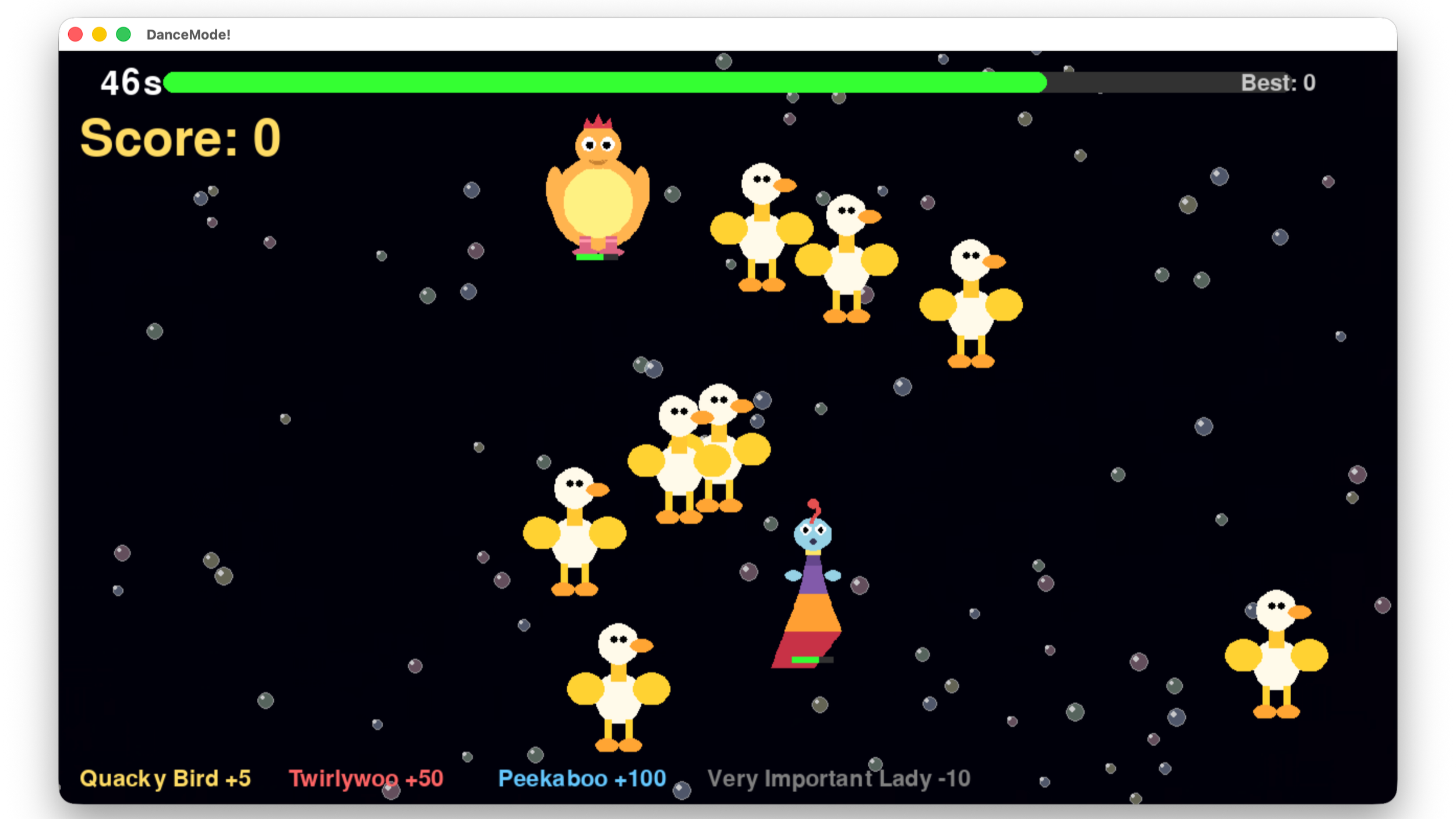
So, for the holidays, I made Dance Mode: a simple, Christmas-themed “dance” game where you wave your hands to pop targets in the falling snow. Your webcam picks up the players and you are the controller! The game tracks your hands, then turns that motion into a “pop” mechanic on-screen.
Made to keep the kids occupied [and burn off a bit of energy indoors when the weather isn’t the best] it’s pretty basic gameplay;
60 seconds to score as high as possible
Press SPACE to start (or play again)
Wave your hands to hit targets
Targets have different behaviours and points (which makes it competitive for when you’ve got family round):
Gold bauble: +5 (easy points, always there)
Green elf: +50 (moves around, disappears fast)
Santa: +100 (super fast and rare — panic-swipe accordingly)
Grinch: -10 (do not high-five the Grinch)
Using Claude Code to build, it’s a small Python project using OpenCV + MediaPipe for tracking and Pygame for the game loop and visuals.
It kept the kids entertained for 10 minutes or so but then that’s where the power of iterating and Claude really come into their own. kids tire of things quickly, so once the Christmas theme had been bested I just asked for a Hannukah skinned version, then K-Pop demon hunters and Twirlywoos. each “new” to the kids but using the same logic so very quick to update and “release”.
And that’s where I think there’s so much potential for AI, beyond those bleeding-edge research projects and “make my photo into a Christmas scene”. We can use “AI for coding” as a multiplier for creativity, not just productivity. It’s a way to get more out of the physical devices we already own and it’s simple enough to have the kids help with the “building” so they begin to understand the potential and applications of AI in a tangible way.
And it’s yours! A Christmas gift for all.
Everything you need is HERE, including beginner-friendly steps for Mac/Windows/Linux.
Quick run-down:
1) Download ZIP (or git clone the repo)
2) Install dependencies
3) Run the game
4) Press SPACE and start flailing festively
Mac/Linux: run ./run_game.sh
Windows: install deps then python main.py
If the camera doesn’t show up, close anything else using it (Zoom/FaceTime/etc.).
Projects like this help highlight that “ordinary” hardware isn’t ordinary at all. With a bit of code (and increasingly, a bit of help from coding agents), it becomes an instrument you can play.
If you give Dance Mode a spin and end up tweaking it (new targets? better snowfall? different gestures?), I’d love to see what you make.
Merry Christmas.